
Active Control is Live
Active Control is now live with an updated interface, bringing automated control of building systems into daily operation. The platform intelligently monitors equipment and executes pre‑approved actions without manual intervention, and one of the first scenarios it supports is occupancy‑driven HVAC: when a room is unoccupied, the system automatically returns thermostats to energy‑saving settings and readies the space again before people arrive. This hands‑off approach simplifies oversight and has already delivered notable energy and cost savings for early adopters.
Skills Refresh
A number of skills have been added and updated in Activate's library:
The chiller skills have been refreshed to make them more scalable and reliable across plants, using testing data and learnings from a recently occurred chiller failure.
New dirty filter skills have been introduced, increasing the reliability of detection and decreasing reliance on scheduled PMs with an insight-first workflow.
A Terminal Unit Fan Cycling skill has been added to detect when terminal unit fan is cycling on and off rapidly over a 2-hour period, which can cause system inefficiencies and excessive wear and tear.
An AHU Is Not Operating While Exhaust Air Damper Open Skill has been added, identifying the potential root cause of freezing conditions which feed into the freeze protection diagnostic tree.
IOT Battery Low and Expected Battery Replacement skills have been added to the standard library.
Copilot Memorization
You can now instruct copilot to save preferences and instructions to memory. Memories can be used for many purposes, such as:
- User preferences: Conversation style, UI formatting, preferred input/output language(s), etc.
- Custom prompt instructions: Create your own personal instructions - create your own "Monday morning briefing", "mid-day update", etc.
- Setting favorites: Manage your favorite assets that you wish to access quickly or give a custom name to a list of assets or locations. ("troublesome AHUs", "my terminals", etc.)
- To-do lists and reminders: Manage a general list of to-dos, or attach them to specific assets, needed parts lists, onboarding status to-dos, etc.
For example, use memories to customize prompt responses:
3D Secondary Component Filtering
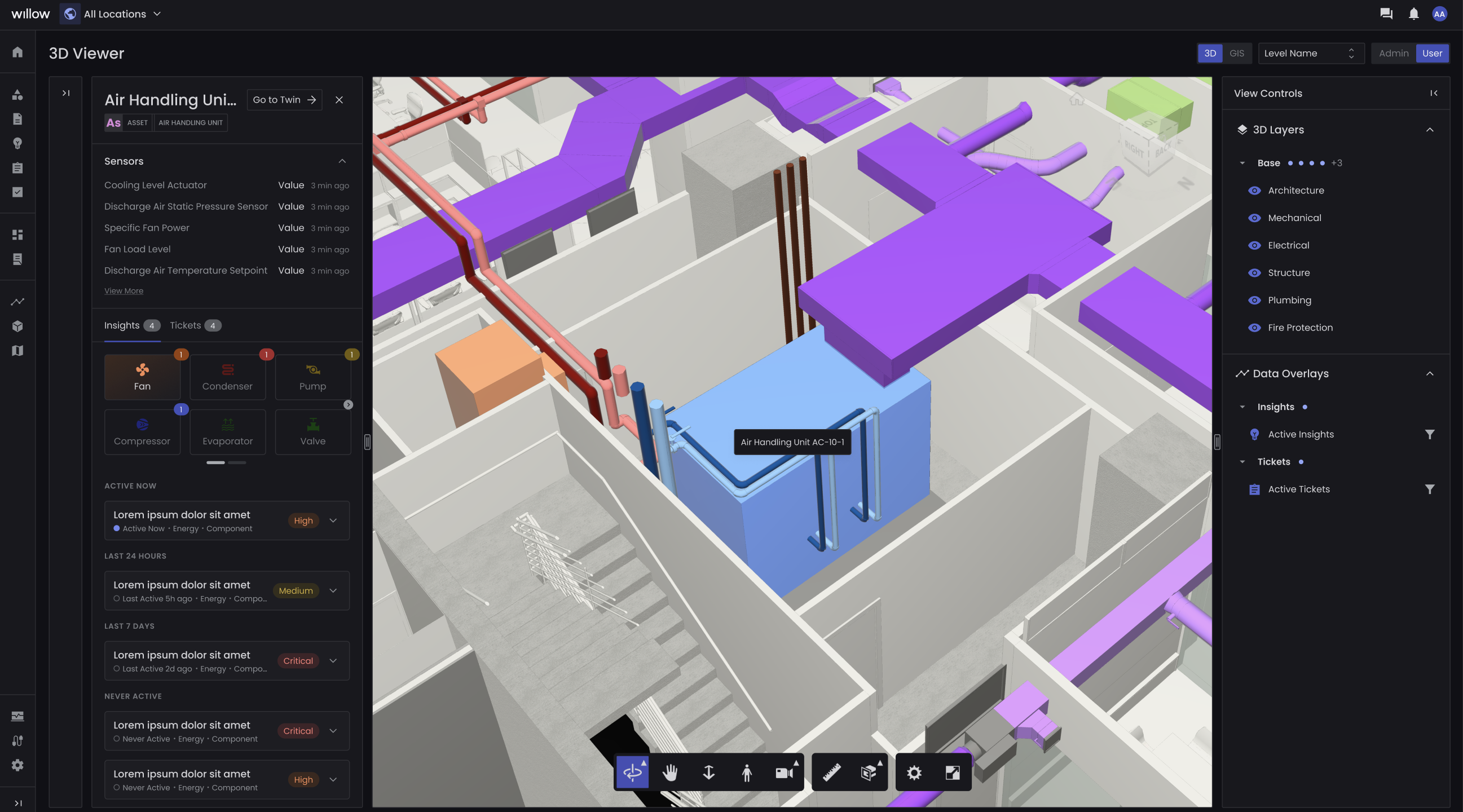
Secondary component cards have been added to 3D Viewer with refreshed iconography and filtering capabilities. The cards are colored by insight priority, including a count of active insights on that component. Clicking on the component's card will filter the list of insights below. Additionally, the "Never Active" insights have been added to this view to allow the user to view all of the skills running in the background that have been historically healthy on the asset and components being viewed.
Iconography
Icons have been upgraded across the product to improve visual appeal and association to twin types. This iconography is visible in the time series sensors and controls panel, as well as in 3D Viewer.
Comments
Please sign in to leave a comment.